· Launchbox Team · Lahore Work Guides · 13 min read
Internet Options for Remote Workers in Lahore
A comparison of internet options for remote workers in Lahore — PTCL fiber, StormFiber, Nayatel, 4G/5G, and what speeds you actually need for video calls and remote work.
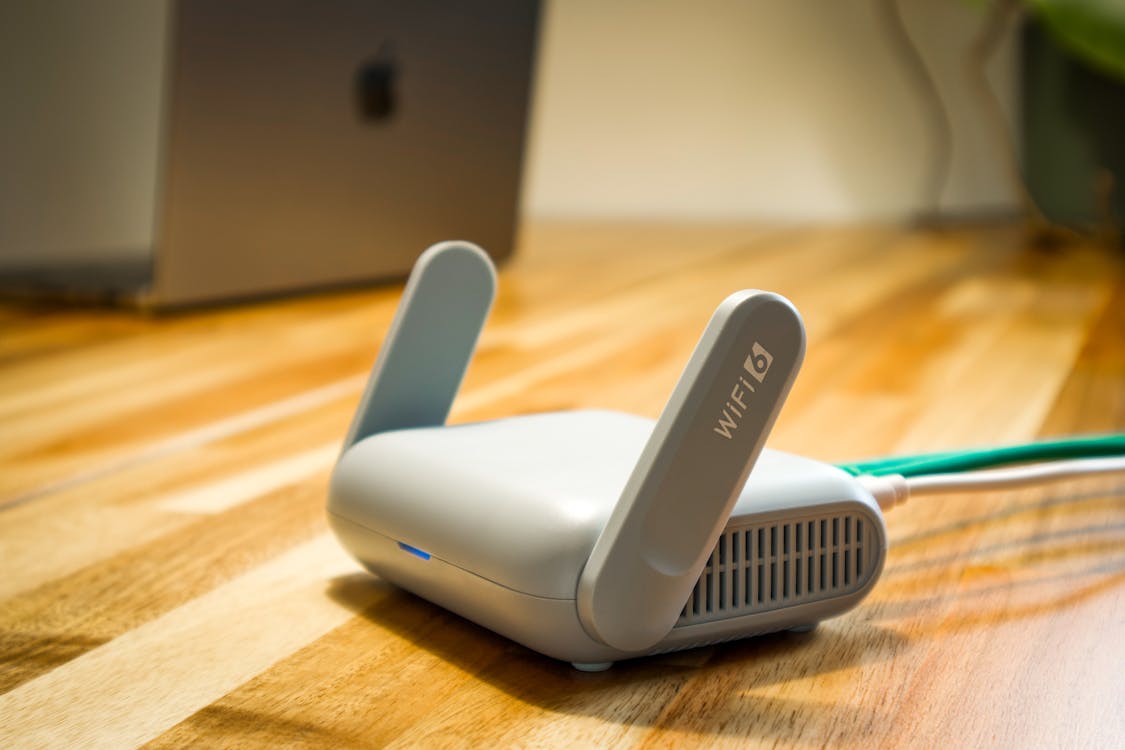
If you do remote work from Lahore, you already know the feeling. You are twenty minutes into a client call, sharing your screen, walking someone through a design review — and then your internet hiccups. The video freezes. The audio cuts to robot voice. Your client says “I think we lost you” and you scramble to reconnect while pretending everything is fine.
It happens to almost everyone working from home in Lahore at some point. And the frustrating part is that it is usually not about raw speed. Your ISP might advertise 100 Mbps, and a speed test might even confirm it. But speed tests measure download under ideal conditions. They do not tell you what happens to your upload at 2 PM when half the neighborhood is streaming, or how your latency holds up when PTCL is routing traffic through a congested node.
This guide breaks down the actual internet options available to remote workers in Lahore right now — what works, what does not, and what you genuinely need to keep your calls stable and your clients happy.
Why Internet Quality Matters More Than Speed
Most people shop for internet by looking at the download speed number on the package. 50 Mbps, 100 Mbps, 150 Mbps. Bigger number, better internet, right? Not really. Not for remote work, anyway.
When you are on a Zoom or Google Meet call, three things actually determine your experience:
- Upload speed: This is what sends your video and audio to the other person. Zoom recommends 3.8 Mbps upload for HD video. If you are sharing your screen at the same time, you need more like 5-8 Mbps. Most home connections in Lahore advertise great download speeds but offer upload that is a fraction of that — sometimes as low as 1-2 Mbps on older PTCL plans.
- Latency (ping): This is the delay between you speaking and the other person hearing you. Anything under 100ms feels natural. Once you get above 150ms, conversations start feeling awkward because you keep talking over each other. Fiber connections in Lahore typically give you 20-50ms to regional servers and 100-180ms to US/EU servers. 4G can be anywhere from 40ms to 300ms depending on congestion.
- Consistency: This is the big one. A connection that gives you 50 Mbps download and 10 Mbps upload consistently is far better than one that gives you 150 Mbps download but drops to 2 Mbps upload for thirty seconds every few minutes. Those micro-drops are what cause the frozen screens and garbled audio that make you look unprofessional on client calls.
If you are choosing an ISP for remote work, ignore the headline download number. Ask about upload speed, check latency to international servers, and — most importantly — ask people in your specific area how consistent the connection actually is during working hours.
PTCL Fiber
PTCL is the default option. They have the widest coverage in Lahore, and their fiber-to-the-home (FTTH) service has genuinely improved over the past couple of years. If you can get their fiber connection — not the old copper DSL, actual fiber — it is a decent option for remote work in many parts of the city.
The catch is that PTCL’s quality varies wildly by area. In newer DHA phases and parts of Bahria, the fiber infrastructure is relatively recent and performance is solid. In older areas of Gulberg, Model Town, or Garden Town, you might be on fiber to the cabinet but copper for the last stretch to your house, which bottlenecks everything. And PTCL’s customer support remains, to put it politely, inconsistent. If your connection goes down on a Tuesday morning before an important call, you are not getting a technician that day.
PTCL fiber plans currently offer upload speeds of 5-15 Mbps depending on the package, which is adequate for video calls but tight if multiple people in your household are working remotely at the same time. Their 100 Mbps plan with 15 Mbps upload is the sweet spot for most remote workers.
Best for:
Remote workers in areas where StormFiber or Nayatel are not available. Make sure you are getting actual FTTH, not fiber-to-the-node with a copper last mile.
StormFiber
StormFiber is where things get noticeably better, assuming you are in their coverage area. They operate primarily in DHA and Bahria Town, with some presence in parts of Gulberg and Cantt. Their network is newer than PTCL’s, and it shows — fewer outages, more consistent speeds, and generally better routing to international servers.
For remote work, StormFiber’s main advantage is reliability. The connection tends to hold steady during peak hours, and their upload speeds are more generous than PTCL’s comparable plans. If you are in DHA Lahore and can get StormFiber, it is probably your best residential option for remote work.
The downside is coverage. If you are outside DHA or Bahria, you probably cannot get it. And even within DHA, some newer sectors or side streets might not have fiber laid yet. Check their coverage map before getting excited.
Best for:
Remote workers living in DHA or Bahria Town who want a reliable, low-maintenance connection they do not have to think about.
Nayatel
Nayatel has a reputation as the best ISP in Pakistan, and in areas where they operate, that reputation is mostly earned. Their fiber network is well-maintained, customer support is responsive compared to the industry average, and their connection quality is very consistent.
The problem for Lahore-based remote workers is that Nayatel’s coverage in Lahore is still limited. They are strong in Islamabad and Rawalpindi, and have been expanding in Lahore, but large parts of the city — including most of DHA — are still outside their footprint. If you happen to be in an area they serve, consider yourself lucky. Get their connection and do not look back.
Best for:
Anyone fortunate enough to be in their Lahore coverage area. The most “set it and forget it” option available.
4G and 5G as Backup
Jazz and Zong both offer 4G services across Lahore, and Jazz has started rolling out 5G in select areas. For remote work, mobile data can be a lifesaver as a backup connection — but it should not be your primary plan.
The fundamental problem with mobile data for remote work is unpredictability. You might get 30 Mbps download and 10 Mbps upload at 9 AM, and then 5 Mbps download and 1 Mbps upload at 2 PM because the tower is congested. Latency spikes during peak hours. And if it rains — well, you have lived in Lahore, you know what happens to mobile signals during monsoon season.
That said, every remote worker in Lahore should have a 4G backup ready. A Jazz or Zong SIM with a decent data package, loaded and ready to hotspot from your phone the moment your fiber goes down. It will not be great for a long screen-sharing session, but it will keep a voice call alive while you wait for your main connection to come back.
- Jazz 4G/5G: Better coverage in DHA and Cantt areas. Their 5G rollout is still early but promising where available.
- Zong 4G: Generally strong across Lahore. Good data packages for backup use. Some remote workers report more consistent speeds than Jazz during peak hours, though this varies by location.
Best for:
Emergency backup only. Keep a loaded SIM and a portable hotspot device in your bag at all times.
What Speeds Do You Actually Need?
Let us get specific, because this is where most guides are vague. Here is what common remote work tasks actually require:
| Task | Download Needed | Upload Needed | Latency Sensitivity |
|---|---|---|---|
| Zoom/Meet HD video call | 3 Mbps | 3.8 Mbps | High |
| Screen sharing during call | 3 Mbps | 5-8 Mbps | High |
| Slack, email, browsing | 2 Mbps | 1 Mbps | Low |
| Uploading files to Google Drive | Minimal | 10+ Mbps preferred | Low |
| Git push (large repos) | Minimal | 5-10 Mbps | Low |
| VPN to company network | 10+ Mbps | 5+ Mbps | Medium |
Notice the pattern: upload speed keeps showing up. This is the number your ISP buries in the fine print. A 50 Mbps plan with 10 Mbps upload will serve you better for remote work than a 150 Mbps plan with 3 Mbps upload. Always check the upload.
And if multiple people in your household are working remotely or attending online classes at the same time, multiply those numbers. Two simultaneous Zoom calls with screen sharing need at least 12-15 Mbps upload to run smoothly. Most residential plans in Lahore top out at 10-15 Mbps upload, which means you are already at the edge.
The Coworking Advantage
This is where we are obviously biased, but the math is worth laying out honestly. Setting up a truly reliable home internet setup for remote work in Lahore requires:
- A primary fiber connection (PKR 3,000-5,000/month for a plan with decent upload)
- A backup 4G device with data package (PKR 1,500-3,000/month)
- A UPS to keep your router running during load-shedding (PKR 15,000-25,000 one-time, plus battery replacements)
- Possibly a small inverter or generator if outages are frequent in your area
Even after all that, you are still at the mercy of residential-grade infrastructure. Your ISP’s node gets congested during working hours. The neighborhood transformer blows. A cable gets cut during construction down the street. These are things you cannot control from your home.
A coworking space solves this differently. At Launchbox, we run business-grade fiber with a dedicated backup connection. If the primary line goes down, traffic fails over to the backup automatically — most members do not even notice when it happens. We also have full UPS and generator coverage, so load-shedding does not affect your work at all. The internet stays on. The AC stays on. Your call keeps going.
For a Flexible Desk at PKR 15,000/month, you get internet reliability that would cost you significantly more to replicate at home — and you still would not have the same level of redundancy. For freelancers who bill by the hour or remote workers whose reputation depends on being reliably present on calls, the math makes sense.
A small nudge
Tired of internet drops during client calls?
Launchbox offers business-grade fiber internet with backup connectivity, full power backup, and a quiet workspace in DHA Phase 5. Try us for a day.
Practical Tips for Internet Reliability
Whether you work from home, from a coworking space in DHA, or split your time between both, these tips will help you avoid the worst internet-related disasters:
- Always have a backup connection ready. A Jazz or Zong SIM with data, already in your phone, hotspot tested. Do not wait until your fiber goes down to discover your backup SIM has expired.
- Test your upload speed, not just download. Go to speedtest.net or fast.com, but pay attention to the upload number. Run the test during your actual working hours, not at midnight when nobody else is online.
- Use a wired connection for important calls. Wi-Fi adds latency and is susceptible to interference from your neighbor’s router, your microwave, and that Bluetooth speaker in the other room. A simple ethernet cable to your laptop eliminates all of that.
- Keep your router firmware updated. This sounds basic, but an outdated router is one of the most common causes of random disconnections. If your router is more than three years old and came free from your ISP, it is probably time to buy a decent one.
- Know your ISP’s outage schedule. PTCL sometimes does maintenance at odd hours. StormFiber sends SMS notifications before planned maintenance. Save your ISP’s support number and follow their social media for outage updates.
- If you work with international clients, check latency to their region. Run a ping test to servers in the US, EU, or wherever your clients are based. A connection with 250ms latency to US servers will make every conversation feel slightly off, even if speeds are fine.
Frequently Asked Questions
What internet speed do I need for remote work in Lahore?
For basic video calls on Zoom or Google Meet, you need at least 3.8 Mbps upload and 3 Mbps download. If you share your screen during calls or upload large files regularly, aim for 10 Mbps upload or higher. Download speed matters less than upload for most remote work — a 25 Mbps connection with solid upload and low latency will outperform a 100 Mbps connection that drops packets. Test your actual speeds during working hours at speedtest.net before trusting the number on your ISP’s plan.
Which internet provider is best for remote workers in Lahore?
It depends on your area. StormFiber is excellent in DHA and Bahria Town with consistent speeds and low latency. Nayatel is arguably the best overall provider but has limited coverage in Lahore. PTCL Fiber is the most widely available and works well in areas with newer infrastructure. Check which providers have fiber coverage at your specific address before deciding — copper-based connections are not suitable for serious remote work. If reliability is critical for your job, consider working from a coworking space with business-grade internet instead of depending on residential connections alone.
Is 4G or 5G good enough for remote work in Lahore?
As a primary connection, no. 4G and 5G from Jazz or Zong can deliver good speeds at certain times of day, but latency is unpredictable and speeds drop significantly during peak hours and bad weather. As a backup connection, absolutely yes. Every remote worker in Lahore should have a 4G SIM ready to hotspot from their phone the moment fiber goes down. It can save a call, even if the quality is not perfect.
How does coworking solve internet problems for remote workers?
A good coworking space provides business-grade internet with redundant connections, meaning if one line goes down, traffic automatically shifts to the backup. You also get UPS and generator power backup, so load-shedding does not take your router offline. At Launchbox in DHA Phase 5, we maintain dedicated fiber with automatic failover and full power backup. This level of reliability is difficult and expensive to replicate at home. Day passes start at PKR 1,500 if you want to test the difference before committing to a monthly plan.
The Bottom Line
Internet in Lahore has gotten significantly better over the past few years. Fiber coverage is expanding, speeds are going up, and there are more options than ever. But for remote work specifically, the game is not about raw speed — it is about consistency, upload capacity, and having a plan for when things go wrong.
Get the best fiber connection available in your area. Set up a 4G backup. Test your upload speed during working hours. And if your livelihood depends on being reliably online, consider whether a coworking space with business-grade internet might be worth the investment.
We built Launchbox in DHA Phase 5 specifically for people who cannot afford internet drops during their workday. If that sounds like you, book a free visit and come see how it works. Bring your laptop, connect to our network, run a speed test, join a call — and see the difference for yourself.
- lahore work guides